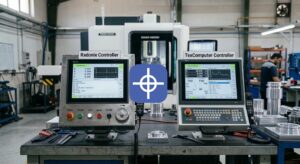


In 2026, CNC machine performance is no longer limited by hardware alone. The real competitive advantage comes from how seamlessly the control software adapts to your exact machine configuration.
Radonix has solved this challenge with its extensive library of over 30 purpose-built interfaces — and the key that unlocks every one of them is CAM-Pro integration with Radonix interfaces.
CAM-Pro is the powerful, Windows-based control and programming environment at the heart of every Radonix system. Unlike traditional CNC controllers with hard-coded screens, CAM-Pro uses a simple, flexible .REG file system that lets technicians and OEMs load a complete, machine-specific HMI in seconds.
Whether you run a 4-axis rotary lathe, a high-definition plasma cutter, a CO2 laser engraver, a 6-axis router, or a hybrid stone-cutting gantry, the right Radonix CAM-Pro setup instantly transforms a standard controller into a fully tailored solution.
This means no more cluttered generic screens, no more manual I/O mapping, and no more weeks of custom programming. Operators see only the buttons, dashboards, and visual aids they actually need. Macros fire with one touch. Real-time feedback appears exactly where it should. Power-fail recovery works automatically.
The result? Setup times drop by 60-80%, training is measured in hours instead of days, and productivity soars.
This practical, technician-focused guide walks you through everything you need to achieve flawless CAM-Pro integration with Radonix interfaces in 2026.
You will learn why the REG file system is revolutionary, how to prepare your PC and controller, the complete step-by-step loading and testing process, advanced customisation techniques, troubleshooting tips, real-world applications across machine types, and answers to the most common integration questions.
By the end of this guide, you will be able to deploy any Radonix interface confidently — whether you are an in-house technician retrofitting legacy machines or an OEM preparing the next generation of branded CNC equipment.
Why CAM-Pro is Essential for Radonix Interface Customization
Overview of REG File System and Interface Library
Every Radonix interface is distributed as a compact .REG file. This single file contains:
Complete screen layouts and graphics
All button, slider, and macro definitions
I/O mapping and safety interlocks
Machine-specific limits, kinematics, and homing routines
Pre-loaded tool libraries and material presets
The Radonix interface library is constantly updated. In early 2026 it already includes dedicated files for XYZ Router TC, XYZA Router, XYZ Plasma + THC, XZA Wood Turning, CO2 Laser Engraving, Fiber Laser Cutting, and many more.
Loading a .REG file is literally a three-click operation inside CAM-Pro, yet it delivers the same deep customisation that would otherwise require months of PLC programming.
Benefits Over Hard-Coded Interfaces
Traditional controllers lock the HMI into firmware. Changing anything requires expensive engineering time and firmware flashes.
Radonix CAM-Pro integration with Radonix interfaces changes the game:
- Update or switch interfaces without touching the motion controller
- Create multiple operator profiles for the same machine
- Deliver fully branded white-label interfaces to OEM customers
- Roll out improvements instantly via free lifetime updates
- Maintain one software platform across an entire factory floor
Technicians and integrators consistently report that loading REG interface files in CAM-Pro is the fastest and most reliable way to achieve true machine-specific control.
Preparing Your System for CAM-Pro Integration
Software Requirements and Controller Compatibility
Radonix CAM-Pro setup runs on any industrial PC or panel running Windows 10 or 11 Pro / IoT Enterprise (64-bit).
Recommended specifications:
Intel i5 or better (i7 preferred for 5 and 6-axis simulation)
8 GB RAM minimum (16 GB recommended)
500 GB SSD
Touch screen or standard monitor with mouse/keyboard
Compatible controllers include all Radonix PC-Smart 4A/6A series and PC-Pro LAN models. The software also supports many third-party step/dir and EtherCAT systems via the Radonix motion plugin.
Downloading the Latest Interface Library
- Visit https://www.radonix.co.uk/interfaces/.
- Log in with your Radonix customer account (or request instant access).
- Browse or search by machine type.
- Click “Download” next to the desired interface — the .REG file downloads immediately.
- Always download the latest version (files are version-stamped, e.g., XYZA_Router_v2026.02.reg).
Keep your library folder organised — most technicians create C:\Radonix\Interfaces\ for easy access.
Complete Step-by-Step Setup Guide
Installing and Configuring CAM-Pro
- Download the latest CAM-Pro installer from radonix software page.
- Run the installer as Administrator.
- Accept the licence agreement and choose the full installation.
- After installation, launch CAM-Pro.
- Go to Help → Check for Updates and install any available patches (critical for 2026 compatibility).
- Connect your Radonix controller via Ethernet or USB — CAM-Pro will auto-detect the hardware.
- Run the initial configuration wizard: set language, units (mm/inch), and default workspace.
Loading and Testing REG Interface Files
Suggested Screenshot: CAM-Pro main screen with “Load Interface” dialog open
- In CAM-Pro, go to File → Load Interface.
- Navigate to your saved .REG file and select it.
- Click “Open”. CAM-Pro will prompt to restart — confirm.
- After restart, the new tailored interface loads automatically.
- Go to Machine → Diagnostics and run the full I/O test.
- Perform a dry-run simulation of a known G-code file.
- Home all axes using the new interface’s dedicated homing buttons.
- Run a short test job on scrap material to verify everything feels correct.
The entire loading REG interface files process takes under 10 minutes in most cases.
Advanced Customization (Screen Editing, Command Mapping)
- With the interface loaded, go to Edit → Interface Editor (password-protected for safety).
- Drag and drop buttons, resize panels, or change colours.
- Add new macro buttons via the built-in macro recorder.
- Map additional M-codes or digital outputs.
- Save your modified version as a new .REG file for future use or OEM distribution.
Suggested Screenshot: Interface Editor showing drag-and-drop screen customisation
This customize CNC interface CAM-Pro capability gives OEMs and advanced users unlimited flexibility without writing a single line of code.
Troubleshooting Common Integration Issues
Error Messages and Solutions
“REG file version mismatch” → Download the latest version from the interfaces page.
“Controller not detected” → Check Ethernet cable, IP address (default 192.168.0.10), and firewall settings.
“Axis count mismatch” → Ensure the loaded interface matches your actual axis configuration (e.g., do not load 6-axis file on a 3-axis machine).
“Macro execution failed” → Re-run the I/O test and verify digital output wiring.
Best Practices for Stable Performance
Always back up your current .REG file before loading a new one.
Use a dedicated industrial PC rather than a shared office computer.
Enable automatic CAM-Pro updates.
Schedule weekly interface and tool-library backups.
Use the built-in AnyDesk remote support for instant help from Radonix engineers.
Real-World Applications and Productivity Impact
Examples Across Router, Laser, Plasma, and Lathe Machines
A UK furniture manufacturer loaded the XYZA Router interface on three rotary machines and reduced daily setup time from 45 minutes to 6 minutes per job.
A signage OEM integrated the CO2 Laser interface across 28 machines — operators now load material presets in seconds instead of entering 12 parameters manually.
A metal fabrication shop using the XYZ Plasma + THC interface reported 51% higher daily throughput and virtually zero torch crashes after proper CAM-Pro integration with Radonix interfaces.
A wood-turning specialist retrofitted legacy lathes with the XZA Wood Turning interface and achieved full 4-axis simultaneous control in under one afternoon.
Table of Popular Interfaces and Their REG Files
| Interface Name | Machine Type | REG File Example | Primary Benefit |
| XYZ Router TC | 3-Axis Router + ATC | XYZ_Router_TC_2026.reg | One-touch tool changes |
| XYZA Router | 4-Axis Rotary | XYZA_Router_v2026.02.reg | Real-time 3D rotary preview |
| XYZ Plasma + THC | Plasma Cutting | XYZ_Plasma_THC_2026.reg | Voltage-based height control |
| XZA Wood Turning | Dedicated Wood Lathe | XZA_Wood_Turning_2026.reg | Multi-pass spindle strategies |
| CO2 Laser Engraving | CO2 Laser | CO2_Laser_Engrave_2026.reg | Material library + raster preview |
| Fiber Laser Cutting | Fiber Laser | Fiber_Laser_Cut_2026.reg | Power ramping & safety interlocks |
| XYZCA Router LS | 5-Axis Simultaneous | XYZCA_Router_LS_2026.reg | Full 5-axis visualisation |
Conclusion
CAM-Pro integration with Radonix interfaces represents the smartest and fastest way to unlock the full potential of any Radonix-controlled CNC machine in 2026.
The .REG file system, combined with the intuitive CAM-Pro environment, gives technicians, integrators, and OEMs complete control over the operator experience without complex programming or long lead times.
Whether you are commissioning a single machine or rolling out a fleet of branded systems, following the steps in this guide will deliver a professional, productive, and future-proof interface every time.
Free lifetime updates, unlimited customisation, and world-class UK-based technical support ensure your investment continues to pay dividends for years.
Ready to get started? Download the latest CAM-Pro version and browse the full interface library at https://www.radonix.co.uk/interfaces/.
Need help with a specific machine configuration? Submit a support ticket or request a remote integration session via the contact form.
OEMs and integrators — contact our partnership team today to discuss volume licensing and white-label options.
Master Radonix CAM-Pro setup and loading REG interface files once, and enjoy machine-specific control forever. Your most productive year in CNC starts here.
FAQ – Advanced CAM-Pro Integration with Radonix CNC Interfaces
- What is a .REG file and why is it used?
A .REG file is a complete interface package that CAM-Pro loads to replace the default HMI with a machine-specific, fully customised control panel. - How long does CAM-Pro integration with Radonix interfaces usually take?
Standard interfaces load and test in under 10 minutes. Custom interfaces are usually ready within 10–14 working days after specification. - Can I load multiple interfaces on the same PC?
Yes. You can switch between interfaces instantly via File → Load Interface without restarting the controller. - Is Radonix interface integration guide 2026 compatible with Windows 11?
Fully tested and optimised for Windows 10 and 11 Pro/IoT Enterprise. - Do I need programming skills to customize CNC interface CAM-Pro?
No. The built-in Interface Editor uses simple drag-and-drop. Advanced macros can be recorded without coding. - What controllers work with CAM-Pro integration?
All Radonix PC-Smart and PC-Pro series, plus many third-party systems via step/dir or EtherCAT plugins. - Can OEMs distribute branded interfaces created in CAM-Pro?
Yes. The OEM programme allows full white-labelling and redistribution of custom .REG files. - What should I do if the interface does not match my axis count?
Load the correct version for your machine. Contact support if you need a modified file. - Are there video tutorials for Radonix CAM-Pro setup?
Yes — full step-by-step videos are available in the customer portal and on the CAM-Pro download page. - Does loading a new interface erase my tool libraries or settings?
No. Tool libraries, material presets, and job history are stored separately and remain intact. - How do I get technical help during integration?
Use the built-in AnyDesk button inside CAM-Pro for instant remote assistance from Radonix engineers during UK business hours.
For machine implementation, explore Radonix machine-specific CNC interfaces and HMI workflows for industrial control applications. Radonix machine-specific CNC interfaces and HMI.