Author: Nima Rad
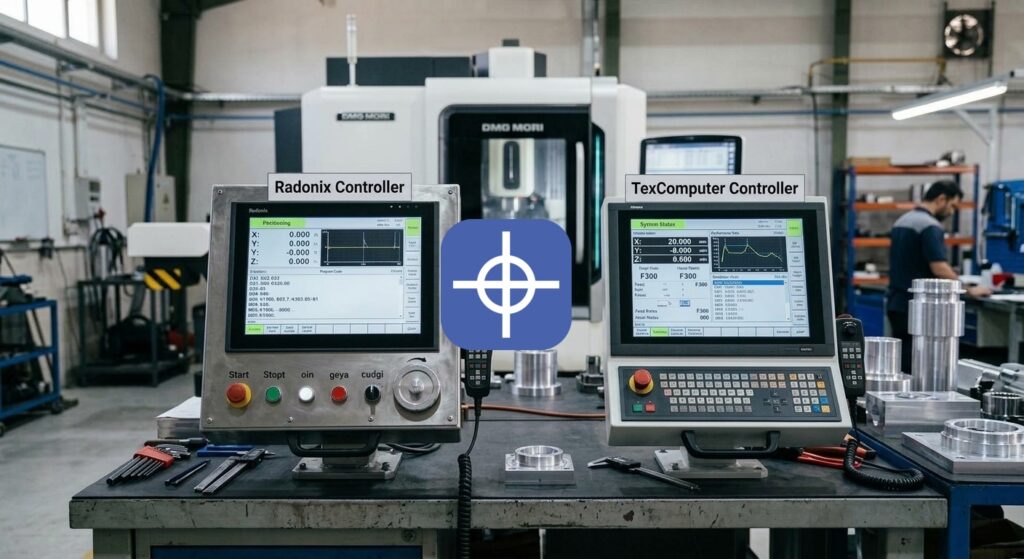
Comparing the Radonix CNC Control System with TexComputer
Table of Contents
- Motion Control Quality and Smoothness
- Axis Count and Interpolated Axes
- Axis Control Method
- Communication and Industrial Protocols
- Ease of Installation, Setup, and Calibration
- Simplicity and Quality of the User Environment
- Documentation
- Standardization for Series Production and OEM
- Overall Suitability by Machine Type and Level
- Summary
Introduction
A Radonix vs TexComputer controller comparison is something machine builders run into when choosing a suitable control system for their CNC machine. Choosing a CNC controller isn’t limited to axis count or pulse generation speed. A suitable controller needs to manage axis motion with good quality, control the machine’s inputs and outputs, provide a suitable environment for the operator, and at the same time make the design, commissioning, troubleshooting, and after-sales service process easier for the manufacturer.
Radonix and TexComputer are both genuine industrial control systems, but their design philosophies differ to some extent.
Radonix focuses more on building a CNC ecosystem made up of a CNC controller, CAM-Pro, a machine interface, calibration, test, simulation, and interface editing.
TexComputer’s Power family, by contrast, has a structure closer to a Programmable Automation Controller, combining motion control, PLC, and HMI into one programmable platform. Depending on the model, this family ranges from simpler controllers to very advanced systems with a large number of axes, CANopen, and EtherCAT.
For this reason, a Radonix vs TexComputer controller comparison needs to consider not just hardware capability, but also how much complexity is involved in turning the controller into a production-ready CNC machine.
1. Motion Control Quality and Smoothness
CNC motion quality doesn’t depend on maximum pulse frequency alone. Factors such as interpolation, trajectory planning, acceleration, deceleration, jerk, S-curve, look ahead, path smoothing, corner handling, and short-segment processing all affect the machine’s real behavior.
On 3D paths, engraving, mold work, cutting, and files with a large number of segments, motion planning quality matters even more.
Radonix On models such as the PC-Smart 4A, features such as four interpolated axes, an S-curve speed profile, hardware FIFO with a 2000-block capacity, and a pulse frequency up to 500 kHz per axis are available.
The S-curve smooths out acceleration changes and can prevent sudden shock to the servo, stepper, and the machine’s mechanical system. Hardware FIFO also holds a set of motion commands before execution inside the controller, helping motion run continuously.
TexComputer TexComputer also has advanced capabilities in this area. The Power family offers features such as look ahead, interpolation, jerk management, NURBS, gearing, and camming across its various models and applications.
On advanced models, motion runs in real time, and newer systems can sample at very short intervals. For example, the Power A can start with a sampling time of around 500 microseconds on an EtherCAT network and manage a large number of interpolated axes.
The Power L is a more compact model for systems with up to 4 axes, with an integrated HMI.
Comparison result Both systems have suitable industrial capabilities for motion. TexComputer offers extensive capabilities for projects where motion synchronization, jerk management, NURBS, or a high axis count matter a great deal.
Radonix, by contrast, gives the machine builder the main capabilities a conventional CNC needs within a more defined structure, including interpolation + S-curve + hardware FIFO + a high pulse rate. For many 3-to-6-axis industrial CNCs, this structure can deliver suitable motion quality with simpler configuration.
2. Axis Count and Interpolated Axes
Axis count should match the machine type, but more important than the total axis count is how many axes can be interpolated at the same time.
Radonix The Radonix family includes 3-, 4-, and 6-axis controllers. On the relevant models, different axes can be controlled with simultaneous interpolation. For example, the PC-Smart 4A has four independent, interpolated axes.
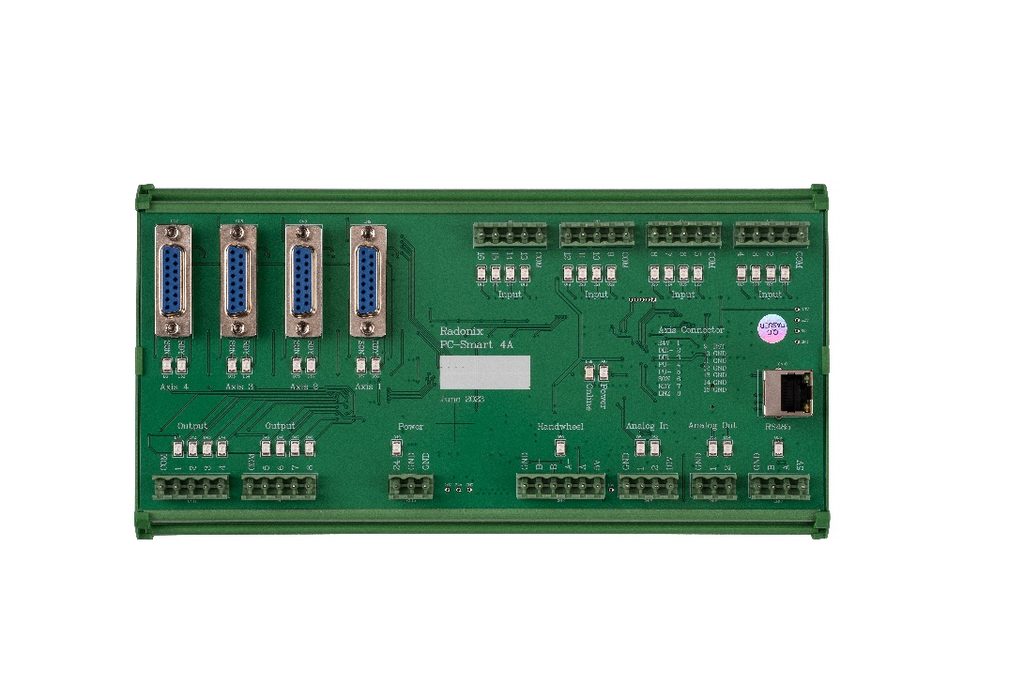
Radonix PC-Smart 4A controller
The Radonix PC-Smart 4A controller
TexComputer TexComputer’s product range is broader in this area. The Power L suits small systems with up to 4 axes, while the Power U manages up to 12 interpolated axes, and the higher-end Power A targets around 32 interpolated axes.
Comparison result For most industrial CNCs in the 3-to-6-axis range, both systems have sufficient capacity. If a project needs a very high axis count, several independent channels, or complex motion structures, the Power family offers a wider development range. But on conventional machines, Radonix’s axis count covers the system’s main needs with a simpler architecture.
3. Axis Control Method
One of the most important differences between controllers is how they send commands to the servo drive or stepper drive.
Common methods include Pulse/Direction, Analog ±10V, CANopen, EtherCAT, PWM, and other real-time networks.
Radonix On the common Smart and Pro-LAN families, axis position control is mainly based on Pulse/Direction. For example, the PC-Smart 4A has four Pulse/Direction outputs with a maximum frequency of 500 kHz per axis. This method is compatible with a very large number of industrial servo and stepper drives and is relatively simple in terms of wiring and commissioning.
TexComputer TexComputer offers more options in this area. Depending on the model, Step/Direction, Analog ±10V, CANopen, EtherCAT, Mechatrolink-II, and PWM/Direction can all be used.
For example, the Power U allows combining different axis control methods and can control servos through a fieldbus or common analog and pulse methods.
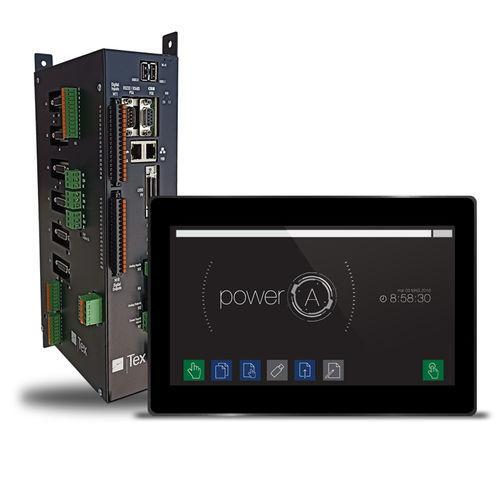
TexComputer Power A controller with HMI
Power A: a high-end model with an independent controller and separate HMI, suited to advanced motion and multi-axis projects.
Comparison result For most conventional Pulse/Direction-based CNCs, Radonix’s architecture is simple and fully practical. On machines where a servo network, analog control, or a mix of motion methods is part of the core design, TexComputer gives the engineer more choices.
4. Number and Type of I/O
Besides motion, a CNC controller also needs to manage the machine’s peripheral equipment; for example, Home, Limit, Emergency Stop, Servo Alarm, Servo Ready, Tool Sensor, Spindle, Vacuum, Valve, Clamp, Lubrication, and Safety Sensor.
Radonix The I/O count varies by model. For example, the PC-Smart 4A has 16 digital inputs, 8 digital outputs, 2 analog inputs, and 2 analog outputs. More industrial models give the machine builder even more I/O.
TexComputer The I/O count in the Power family is extensively expandable. Even the relatively simple Power L has built-in digital and analog I/O and can be expanded locally or over a network. Higher models can have far more I/O; for example, the Power N supports connecting more than 200 internal/local I/O points, with the option to add more over a network.
Comparison result For conventional CNCs, Radonix’s built-in I/O usually covers a large share of the machine’s needs without adding multiple extra modules. For very large automation setups with hundreds of I/O points, TexComputer’s expandable architecture offers more capacity.
5. Communication and Industrial Protocols
Communication in a CNC system can be limited to the PC-to-controller link, or it can cover the machine’s entire network.
Radonix On many Radonix models, the main link to the PC happens over Ethernet/LAN – TCP/IP. This creates simple cabling and allows the PC to be installed at a suitable distance from the electrical panel.
TexComputer TexComputer offers a wider range of communication protocols. Depending on the model, Ethernet, RS232, RS485, Modbus, CANopen, and EtherCAT can all be used.
Comparison result For a standalone CNC, Radonix’s Ethernet architecture is simple and suitable. If the machine is part of a large automation network, and communicating with drives, remote I/O, and various equipment over a fieldbus matters, TexComputer gives a system integrator more options.
6. Ease of Installation, Setup, and Calibration
Real CNC commissioning includes installing the controller and setting up the axes, direction, calibration, velocity, acceleration, home, limit, input, output, and spindle.
Radonix Radonix offers dedicated tools for this: CAM-Pro, CAM-Pro Calibrator, CAM-Pro Test, and Simulation Mode. Having a dedicated calibrator means adjusting the ratio between the actual motion and the given command follows a defined process. Inputs, outputs, and other machine settings are also defined within the CAM-Pro ecosystem.
TexComputer TexComputer offers an integrated development environment for motion, PLC, and HMI. The Power Series is configured and programmed with dedicated programming tools, and on some models, the program can even be edited directly on the controller without a PC. These capabilities are very extensive, but using them fully requires a good understanding of the system’s programming and automation structure.
Comparison result TexComputer gives the developer more engineering capability. Radonix has tried to turn CNC commissioning into a set of defined, understandable tools for the machine builder. For a project whose main goal is building a CNC rather than developing an automation platform, this difference can reduce setup time.
7. Simplicity and Quality of the User Environment
The user environment needs to be designed around the machine’s actual operator.
Radonix CAM-Pro is designed around the Machine-Specific Interface concept — meaning one machine’s interface can be completely different from another’s. As a result, the operator only sees the functions needed for that specific machine. This matters especially on machines where the operator isn’t a CNC specialist.
TexComputer On many Power models, the HMI is part of the controller itself. For example, the Power L comes with a 5.7- or 7-inch screen, and the Power J+ comes with various touch panels. The HMI can also be customized.
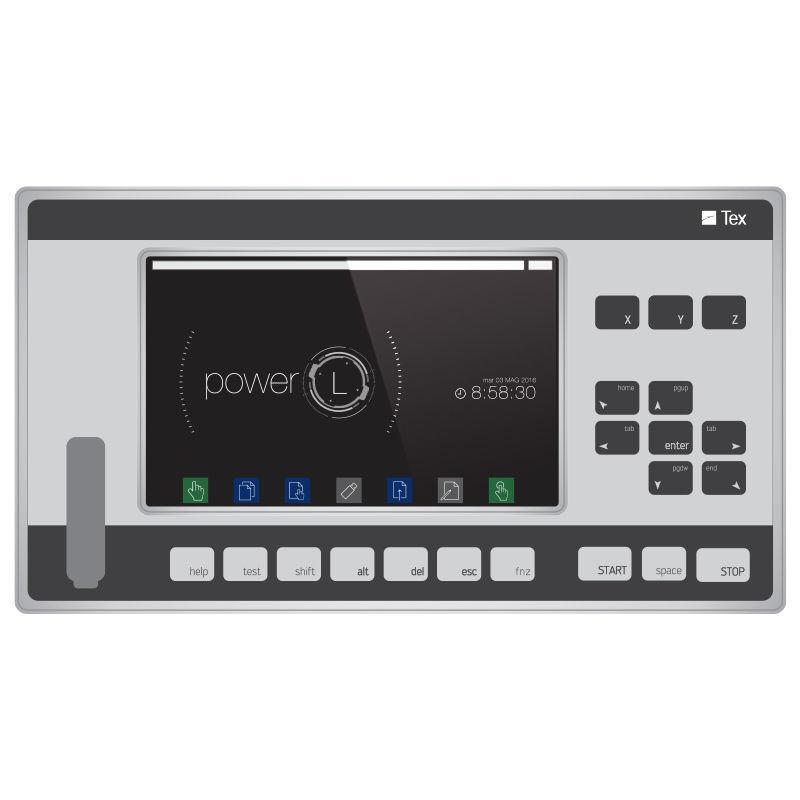
TexComputer Power L controller with touchscreen
An example of the TexComputer Power L controller
Comparison result Both systems allow building a dedicated interface. TexComputer offers the advantage of an integrated HMI independent of a PC. Radonix, by contrast, uses the larger PC and CAM-Pro environment and places dedicated CNC interface design directly within the machine-building workflow. The choice between the two depends mostly on the machine’s design philosophy.
8. Interface/HMI Design and Editing Capability
The HMI’s appearance is part of the machine builder’s final product.
Radonix The Interface Editor in CAM-Pro allows changing items such as buttons, text, images, position, size, font, color, and alignment. Elements can also be linked to functions, parameters, inputs, and outputs. So the machine builder can change the HMI’s appearance and part of its behavior without building an independent application.
TexComputer TexComputer also has development tools for HMI. The Power Series’s drawing tools allow building and customizing operator panel screens, and motion, PLC, and HMI development all happen within one platform.
Comparison result Both systems are capable in this area. On TexComputer, HMI development is part of a broader automation project. On Radonix, the Interface Editor is more focused on the machine builder’s direct needs. For quickly changing a CNC’s interface appearance and behavior, the Radonix workflow can be simpler.
9. Software Development and Machine Logic
On advanced machines, a large part of the device’s function relates to logic and sequences.
Radonix CAM-Pro uses functions, parameters, variables, inputs, and outputs to build the machine’s various behaviors. This structure allows many common CNC processes to be implemented without creating a separate PLC project.
TexComputer This is one of TexComputer’s main strengths. The Power family offers a combined Motion + PLC + CNC + HMI architecture. Programming can include a PLC program, a CNC program, and various machine logic, and the system is designed for complex automation applications.
Comparison result If a project needs very extensive PLC logic and deep automation, TexComputer gives the developer more capability. But on a CNC where most needs can be met with functions and I/O, Radonix can create a simpler, faster path.
10. Simulation, Diagnostics, and Troubleshooting Tools
Good diagnostics have a direct effect on build time and after-sales service.
Radonix Radonix offers tools such as Simulation Mode, CAM-Pro Test, I/O Monitoring, and Parameter Monitoring. The machine builder can check part of the G-code, motion, inputs, outputs, and logic before actually running the machine.
TexComputer On advanced Power models, very powerful debug tools are available; for example, variable monitoring, machine status, breakpoints, PLC logic monitoring, sequence status, and an oscilloscope for checking motion.
Comparison result In terms of advanced software debugging, TexComputer offers very powerful tools. From a machine builder’s or service technician’s point of view, Radonix’s tools are simpler and organized more directly around CNC commissioning and troubleshooting.
11. Documentation Quality and Completeness
Documentation matters a great deal for preserving a project’s technical knowledge.
Radonix Radonix’s documentation covers areas such as the controller, installation, input, output, calibration, CAM-Pro, the interface, functions, parameters, simulation, and interface editing.
TexComputer TexComputer also offers complete documentation for its various hardware and software families. Separate manuals exist for the Power Series, Vision Series, Ethernet communication, HMI, and development tools.
Comparison result Both systems are at a suitable level in terms of documentation. Because it’s a broader automation platform, TexComputer has more extensive engineering documentation. Radonix creates a more centralized path between the controller and software for a CNC machine builder.
12. Industrial Robustness, Isolation, and Noise Resistance
An industrial controller needs to work reliably in an environment that includes servo drives, VFDs, contactors, relays, spindles, and power cables.
Radonix On controllers such as the PC-Smart 4A, isolated inputs and protected outputs are used. Communication with the PC also happens over Ethernet.
TexComputer TexComputer was designed from the start for industrial automation. The Power family runs on a real-time multitasking OS, and motion, PLC, and HMI all run inside the controller — so the system’s core execution depends less on a consumer PC.
Comparison result Both systems are designed for industrial use. One advantage of TexComputer’s architecture is being able to run PLC, CNC, and HMI independently inside the controller itself. Radonix, with its independent hardware controller for motion and Ethernet communication, also separates motion execution from regular Windows processing. On both systems, correct wiring, grounding, and shielding still play an important role in reliability.
13. After-Sales Service and Maintenance
In machine building, a controller needs to remain serviceable years after the machine is sold.
Radonix The controller, CAM-Pro, interface, calibration, and test tools sit within one defined ecosystem. Radonix’s current information for its main products also states a 2-year warranty and 10 years of after-sales service.
TexComputer TexComputer is also a maintainable industrial platform, with backup, restore, update, and programming all supported within the Power family. But on more complex projects, the technician needs to be familiar with the PLC, HMI, and application logic, not just motion.
Comparison result On complex projects, both systems require trained technical staff. On conventional CNCs, having fewer development layers on Radonix can make training and troubleshooting simpler.
14. Standardization Capability for Series Production and OEM
In series production, being able to precisely repeat a configuration matters a great deal.
Radonix A specific controller, interface, parameters, I/O, and calibration can be defined for one machine model and repeated on subsequent machines.
TexComputer TexComputer is also very well suited to OEM work. The Power family allows developing a complete application including motion, PLC, and HMI, and once the project is finished, the same application can be used across multiple machines.
Comparison result Both systems are suitable for OEM use. TexComputer gives OEMs with a strong automation engineering team a great deal of development freedom. Radonix can be more attractive for a company that wants to reach a standard, repeatable CNC faster with less software development.
15. Development Capability for Complex, Special-Purpose Machines
A machine’s complexity isn’t always determined by axis count. A machine may have an automatic loader, tool changer, pneumatic sequence, safety logic, many sensors, a robot, motion synchronization, and several independent processes.
Radonix Radonix allows building dedicated processes through its interface, functions, parameters, and I/O. This structure suits special-purpose CNCs where most of the complexity lies in the process and HMI.
TexComputer TexComputer has a very wide range in this area. The Power family is used for CNC, robotics, packaging, Cartesian robots, SCARA, delta robots, palletizers, and special machines. The Power U and Power A models also support a high axis count, fieldbus, and PLC/CNC multitasking.
Comparison result For special-purpose CNCs where the main development focus is HMI and process, Radonix has a notable structure. For projects that need very extensive motion, robotics, complex PLCs, and a high axis count, TexComputer offers a broader range as an automation platform.
16. Overall Suitability by Machine Type and Level
It’s better to judge these two systems’ suitability based on the machine’s level of complexity, rather than each device’s name.
Conventional industrial CNCs A machine with 3 to 6 axes, servo or stepper motors, Pulse/Direction control, a moderate amount of I/O, a spindle, sensors, a dedicated HMI, and a few side processes falls into this group. For such applications, Radonix gives the machine builder a large share of the needed capabilities through the controller and CAM-Pro, and can keep the development process simple. TexComputer is also fully capable of controlling such a machine, but part of its automation power may go entirely unused at this level.
Machines with dedicated processes and HMI If the machine’s complexity relates more to automatic sequences, tool changers, sensors, loaders, pneumatic systems, operator screens, and process logic, both systems have suitable capability. With its Interface Editor and function-based architecture, Radonix can implement many of these needs without a large increase in complexity.
Complex automation and motion machines If a machine needs a high axis count, EtherCAT, CANopen, analog servo control, electronic gearing, robotics, several CNC channels, and extensive PLC logic, TexComputer offers a wider technical range. For example, the Power A targets up to 32 interpolated axes and several CNC channels.
Overall result Radonix can be considered more of a CNC machine control platform, aimed at simplifying the path from controller to finished machine. TexComputer is more like a Motion + PLC + CNC + HMI automation platform that gives more engineering freedom for complex projects.
For many standard industrial and special-purpose CNC machines in the 3-to-6-axis range, Radonix can be a strong option worth considering — especially when development speed, a dedicated interface, simple commissioning, operator training, after-sales service, and predictable cost matter a great deal.
On projects where the main challenge relates to robotics, fieldbus, a high axis count, or complex PLC work, TexComputer’s broader capabilities can matter more.
Summary
Radonix and TexComputer are both serious, professional systems for controlling industrial machinery, but their design goals aren’t exactly the same.
TexComputer is a powerful platform for motion, PLC, CNC, HMI, fieldbus, robotics, and automation, and its higher-end models can manage a very large number of axes and I/O. These capabilities are a significant advantage for complex projects.
Radonix, by contrast, takes a more focused approach centered on CNC machine building. The combination of controller + CAM-Pro + interface + calibration + test + simulation means many of a CNC’s needs can be met without launching a large automation project.
The difference can be put more simply: TexComputer gives more freedom to engineer an automation system from the ground up; Radonix tries to have more of the path to building a CNC already prepared in advance.
Neither approach is absolutely better. If a project needs dozens of axes, robotics, an advanced PLC, and multiple fieldbuses, TexComputer’s extensive capabilities can be very valuable. But if the goal is building an industrial CNC with a conventional axis count, a dedicated interface, fast setup, and simpler after-sales service, Radonix can be a very sensible choice.
An important point is that some of the differences between these two systems can’t be determined from a datasheet. Factors such as the actual motion quality, commissioning time, ease of building an interface, technician training speed, and operator experience need to be evaluated on a real machine.
So even for a machine builder currently using TexComputer, testing Radonix on a new machine or project can produce a valuable, practical comparison. The goal of such a test isn’t necessarily to replace the current system — it’s to find out whether a simpler architecture can meet the same core CNC needs with less development, commissioning, and maintenance time.
For product evaluation, compare Radonix PC-based industrial CNC controllers, expansion hardware, software and machine-specific interfaces. Radonix industrial CNC controller range.