Author: Nima Rad
Comparing the Radonix CNC Controller with Mach3
Table of Contents
- Comparing Motion Quality
- Comparing Hardware and Software Integration
- Comparing User Environment Simplicity
- Comparing Installation and Commissioning Simplicity
- Comparing Documentation
- Comparing Software Appearance Editing Capability
- Comparing I/O Count and Capabilities
- Comparing Standardization for Series Production
- Comparing Troubleshooting and After-Sales Service
- Comparing Hobby and Industrial Use
- Summary Comparison Table
- Summary
Introduction
A Radonix vs Mach3 comparison is something machine builders run into when choosing a control system for their CNC machine. Choosing a control system for a CNC machine isn’t limited to axis count, G-code execution, or pulse output frequency. A control system’s quality is only properly revealed once a combination of technical and practical factors — motion quality, hardware and software architecture, user environment simplicity, installation and commissioning, input/output capability, technical documentation, customization capability, and after-sales service — are examined together.
In this article, as part of a Radonix vs Mach3 comparison, the Radonix control system is compared against a Mach3-based system across various aspects.
An important point is that Mach3 by itself isn’t a hardware controller — it’s CNC software. In today’s systems, Mach3 is typically used alongside an external motion controller, a plugin, and a breakout board.
Radonix, by contrast, is an integrated platform made up of a CNC controller, Radonix CAM-Pro, and a machine interface.
So the correct comparison is set up as follows:
Radonix Controller + CAM-Pro + Interface
against:
Mach3 + Motion Controller + Plugin + Breakout Board
Comparing Motion Quality
What is motion quality in CNC? Motion quality doesn’t depend on speed or the number of pulses generated alone. A CNC system needs to execute the defined path with motion that’s smooth, continuous, predictable, free of sudden shock, and with controlled acceleration and deceleration.
Parameters such as interpolation, trajectory planning, acceleration, deceleration, jerk, speed profile, look ahead, buffering, how corners are handled, and the continuity of G-code blocks all affect the final motion quality. The better the motion planning, the smoother and more consistent the machine’s motion can be, especially on complex paths made up of many segments.
Motion quality on Radonix On Radonix, motion control is handled by the controller’s dedicated hardware. Various Radonix models offer features such as interpolated axes, an S-curve speed profile, hardware FIFO, and high-speed pulse output as part of the motion controller’s structure.
The S-curve makes axis speed changes smoother and prevents sudden acceleration changes. This can lead to less mechanical shock, less shock to the servo or stepper, smoother motion, less stress on the ball screw, less stress on the rack and pinion, and better machine behavior at high acceleration.
Hardware FIFO also lets a set of motion commands be prepared inside the controller before execution, so motion runs with less dependence on Windows’ real-time delays.
Motion quality on Mach3 Mach3 also has motion planning and uses modes such as Constant Velocity (CV) and Exact Stop. In CV mode, the software tries to maintain motion speed along the path.
But the system’s final quality doesn’t depend on Mach3 alone. On newer systems, a significant part of motion execution is handled by an external motion controller. So the machine’s final behavior can depend on the type of motion controller, the plugin’s quality, the controller’s firmware, CV settings, acceleration, motor tuning, and the motion controller’s internal buffer. For this reason, two different machines that both run Mach3 may end up with different motion quality.
Comparison result for motion quality Mach3, paired with a professional motion controller, can deliver suitable motion quality. But on Radonix, the motion architecture is designed from the start as one defined hardware + software system. So the machine builder doesn’t have to choose among different motion controllers and plugins to achieve a specific motion behavior.
Advantage in standardized motion architecture and predictable motion quality: Radonix
Comparing Hardware and Software Integration
Why system integration matters On an industrial CNC, several parts need to work together in harmony: software → communication → motion controller → I/O → drive → motor. The more manufacturers and independent components involved, the higher the risk of compatibility issues.
Radonix On Radonix, the controller and CAM-Pro belong to one ecosystem. The overall structure is: PC → Radonix CAM-Pro → LAN → Radonix controller → drive. So the link between the software and the controller is defined from the start.
Mach3 On Mach3, the structure is typically: PC → Mach3 → plugin → motion controller → breakout board → drive. Each of these parts may come from a different manufacturer. As a result, the software version, plugin version, firmware, driver, breakout board, and wiring may all need to be checked separately.
Comparison result Mach3 offers more flexibility in choosing hardware. But in industrial machine building, Radonix’s integration reduces complexity and simplifies system maintenance.
Advantage in integration: Radonix
Comparing User Environment Simplicity
The importance of the user environment A CNC operator isn’t necessarily a CNC programming or automation specialist. A suitable interface should only give the operator the information and commands they actually need. If the software environment is too cluttered, the risk of operator mistakes, accidental setting changes, and the need for more training all increase.
Radonix’s user environment On Radonix, a dedicated interface can be designed for each type of machine. For example, on a router, only items such as Start, Stop, Pause, Home, Jog, Spindle, and Vacuum can be placed on the main screen. On a plasma machine, a screen with Torch, THC, Pierce, Cut Height, and Arc OK can be designed. On a glass machine, the interface can include Load, Align, Vacuum, Cut, Break, and Unload. So the operator ends up with an environment matched to the machine’s actual process.
Mach3’s user environment Mach3 is general-purpose CNC software. As a result, its environment includes general CNC features such as Axis DRO, MDI, Feed, Spindle, Tool Offset, Work Offset, Diagnostics, and Program Control. These features are useful for a professional user, but they may be more than a special-purpose machine’s operator actually needs. Mach3 does support changing the screen, but this usually requires ScreenSets, macros, and additional tools.
Comparison result For a general-purpose CNC, Mach3 offers suitable capabilities. But for an industrial machine that needs a dedicated HMI, Radonix allows the operator environment to be designed exactly around the machine’s function.
Advantage in simplicity and dedicated user environments: Radonix
Comparing Installation and Commissioning Simplicity
Why commissioning matters Commissioning a CNC isn’t just about installing software. Axis, direction, pulse, home, limit, I/O, spindle, acceleration, velocity, and calibration all need to be set. The more independent software and hardware components there are, the more complex commissioning becomes.
Installing and commissioning Radonix On Radonix, the main steps happen within one defined ecosystem: installing CAM-Pro, installing the interface, connecting the controller, setting up the axes, defining inputs, defining outputs, calibration, velocity, acceleration, home, limit, and spindle. Tools such as CAM-Pro Calibrator, CAM-Pro Test, and Simulation Mode can also be used during setup and testing.
Installing and commissioning Mach3 On Mach3, more steps usually need to be reviewed: installing Mach3, installing the driver, installing the motion controller, installing the plugin, configuring the plugin, setting motor outputs, setting inputs, setting outputs, motor tuning, steps per unit, velocity, acceleration, home, limit, spindle, and the motion controller’s own settings. In many cases, both the Mach3 manual and the motion controller’s manual need to be studied.
Comparison result Mach3 offers more flexibility in hardware choice, but that same flexibility can make installation and configuration more complex. On Radonix, the commissioning steps happen within one defined, integrated environment.
Advantage in commissioning simplicity and repeatability: Radonix
Comparing Documentation
Why documentation matters On an industrial system, technical information shouldn’t sit with just one person or installer. Items such as wiring, I/O, the controller, software, calibration, configuration, the interface, functions, parameters, and troubleshooting all need to be documented.
Documentation on Radonix Radonix has documentation covering the controller, hardware, input, output, installation, calibration, CAM-Pro, the interface, interface editing, functions, parameters, and simulation. The key advantage is that this documentation belongs to one ecosystem.
Documentation on Mach3 Mach3 also has an extensive manual and learning resources. For Mach3 itself, there’s a lot of documentation on installation, configuration, macros, CV, screens, and G-code. But on a newer system, documentation for the motion controller, plugin, and breakout board also needs to be checked separately.
Comparison result In terms of the sheer volume of general resources, Mach3 has a great deal available. But on Radonix, hardware and software documentation sit in one defined collection. For a machine builder and after-sales service, this integration matters more.
Advantage in documentation integration: Radonix
Comparing Software Appearance Editing Capability
Why an interface editor matters A machine builder doesn’t just produce hardware — the software’s appearance is part of the product too. A professional machine needs an HMI suited to the machine’s application, the operator’s needs, the production process, and the machine builder’s brand.
Interface Editor on Radonix Radonix has an Interface Editing environment. In this environment, buttons can be added, buttons can be removed, elements can be moved, text can be changed, colors can be changed, fonts can be changed, inputs or outputs can be linked to an element, functions can be defined, parameters can be linked, and different screens can be created. So the software’s appearance can be designed entirely around the machine. This capability turns CAM-Pro from general-purpose CNC software into the machine’s actual HMI.
Editing the appearance on Mach3 Mach3 also supports screen customization. This can be done using Screen Designer, ScreenSets, macros, and scripts. So Mach3 also has suitable customization capability. But designing a dedicated interface on Radonix is one of the core parts of CAM-Pro’s structure, and the machine builder can link the interface directly to the machine’s process.
Comparison result Both systems allow changing the appearance. But Radonix was designed from the start around the philosophy of a machine-dedicated interface.
Advantage in dedicated HMI design and directly linking the software’s appearance to the machine’s function: Radonix
Comparing I/O Count and Capabilities
Why I/O matters An industrial CNC machine isn’t just made up of the X, Y, and Z axes. A large number of signals need to be managed, such as E-Stop, Home, Limit, Servo Alarm, Servo Ready, Vacuum, Coolant, Lubrication, Clamp, Valve, Dust Collector, Safety Door, and Tool Sensor.
I/O on Radonix Various Radonix models have a defined number of digital inputs and digital outputs on the controller. Some models also offer analog input, analog output, and PWM. This reduces the need for numerous additional boards.
I/O on Mach3 The I/O count on Mach3 depends directly on the hardware used. Increasing I/O may require a motion controller, breakout board, or expansion board.
Comparison result Mach3 allows a very wide choice of hardware. But Radonix covers many of a machine’s standard needs directly within the controller itself.
Advantage in I/O integration: Radonix
Comparing Analog and PWM
One important use of an analog output is controlling spindle speed through a VFD. The command is usually sent as 0 to 10V. Analog can also be used for pressure control, valves, process control, and sensors.
Some Radonix models have analog output, analog input, and PWM output. As a result, these capabilities are available to the machine builder as part of the controller. On Mach3, having an analog output or input depends on the motion controller or breakout board.
Comparison result: Radonix offers these capabilities in an integrated way across its models. Advantage in analog/PWM integration: Radonix
Comparing PC-to-Controller Communication
Communication between the PC and controller needs to be stable, fast, and suited to an industrial environment. On many Radonix models, communication happens over Ethernet/LAN, which allows the PC to be installed farther from the electrical panel. On Mach3, the communication type depends on the motion controller, and USB, Ethernet, or a parallel port may be used.
Comparison result: Mach3 offers more freedom in choosing the communication method, but Radonix provides a more standardized communication architecture. Advantage in communication standardization: Radonix
Comparing Buffering and Dependence on Windows
CNC motion is made up of a large number of blocks. If data transfer between the PC and controller experiences delays, having a buffer matters a great deal.
Some Radonix models use a hardware FIFO with a defined capacity; the controller can receive motion blocks before executing them, which reduces how much real-time motion execution depends on Windows. On older parallel-port Mach3 systems, dependence on the PC was greater; on newer systems, the external motion controller usually has a buffer, but its size and performance depend on the motion controller model.
Comparison result: On Mach3, buffer performance depends on the hardware chosen, while on Radonix this architecture is already defined. Advantage in having a clearly defined buffer architecture: Radonix
Comparing Standardization for Series Production
Why series production matters If a machine builder produces 50 or 100 similar machines, all of them need as similar a configuration as possible.
Radonix A specific controller, interface, I/O, and parameters can be defined for one machine model, and the same configuration used on subsequent machines.
Mach3 A standardized system can also be created if all the hardware stays fixed. But having multiple motion controllers and plugins creates more variation across the chain.
Comparison result For a personal project, this difference doesn’t matter much.
Advantage in series production and standardization: Radonix
Comparing Troubleshooting and After-Sales Service
Why troubleshooting matters On a machine sold to a customer, the time it takes to diagnose a fault matters a great deal.
Radonix The main part of the chain — software → controller → interface — sits within one ecosystem. So the troubleshooting path is more structured.
Mach3 Mach3, the plugin, the driver, the motion controller, the firmware, and the breakout board may all need to be checked separately.
Comparison result Mach3’s variety gives the designer more freedom, but Radonix creates a simpler, more defined structure for after-sales service.
Advantage in professional troubleshooting and support: Radonix
Comparing Hobby and Industrial Use
Mach3 One of Mach3’s important strengths is its broad ecosystem. It’s a suitable option for hobby CNC, educational CNC, economical retrofits, personal projects, and budget-limited systems. The variety of motion controllers and breakout boards is also very large.
Radonix Radonix is better suited to applications where system integration and industrial robustness matter more: an industrial CNC router, plasma, glass cutting, waterjet, stone CNC, drilling, profile cutting, and special-purpose machines.
Comparison result For hobby and economical projects, Mach3 can be the more suitable choice. But for industrial machine building and producing a commercial device, Radonix has more of an advantage.
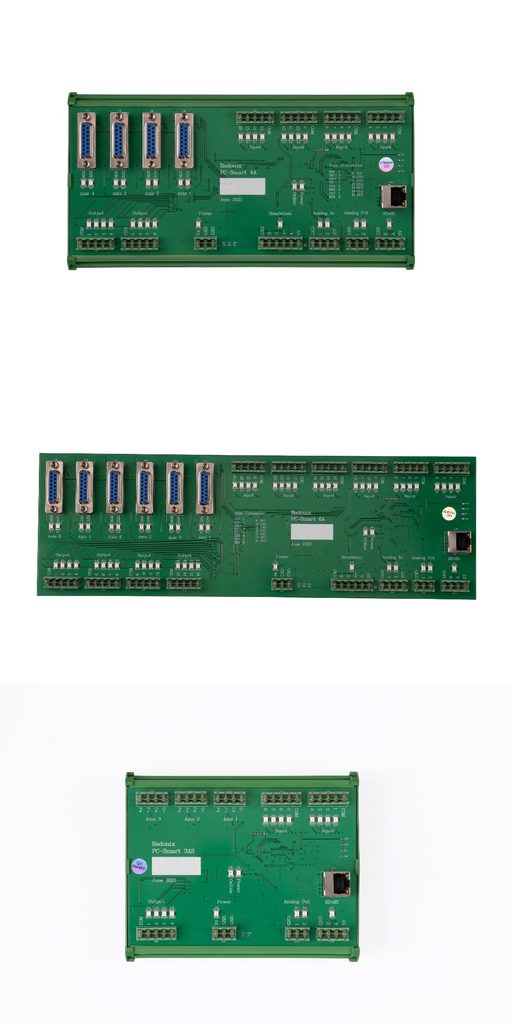
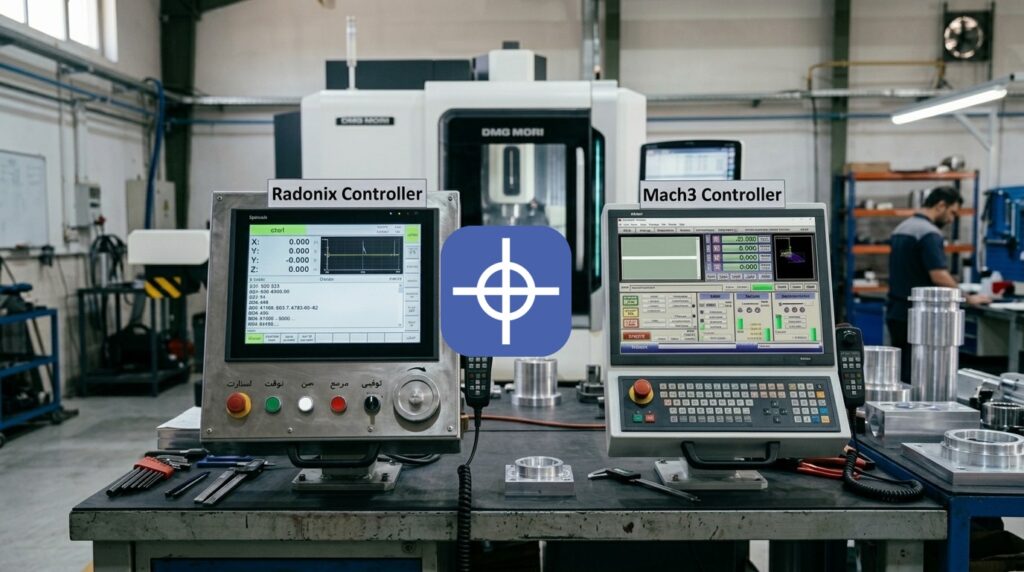
Examples of Radonix controllers
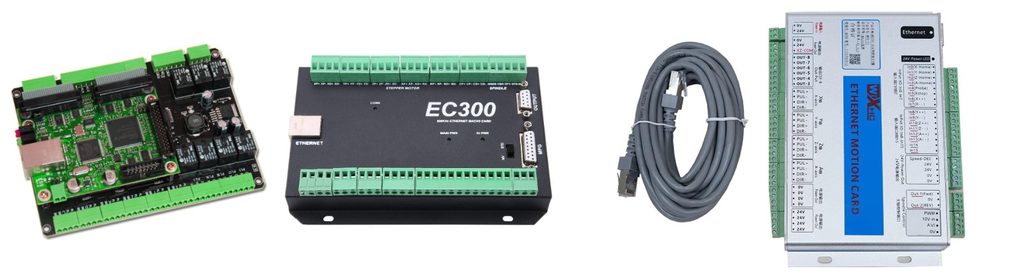
Example of a Mach3 controller setup
Summary Comparison Table
| Comparison Criterion | Radonix | Mach3 | Result |
| Motion quality | Defined motion architecture, S-curve, FIFO | Depends on Mach3 + motion controller | Radonix |
| System integration | Integrated hardware + software | Several components from different manufacturers | Radonix |
| UI simplicity | Dedicated machine interface | General CNC environment | Radonix |
| Installation and commissioning | Single ecosystem | Plugin and additional hardware | Radonix |
| Documentation | Integrated hardware and software | Extensive but multi-source | Radonix |
| Interface editor | Part of the core structure | Screen customization | Radonix |
| I/O | Built into the controller | Depends on the BOB and controller | Radonix |
| Analog/PWM | Built in on relevant models | Depends on hardware | Radonix |
| Communication | Standard Ethernet | Depends on hardware | Radonix |
| Buffer | Defined hardware FIFO | Depends on the controller | Radonix |
| Series production | Very suitable | Doable but hardware-dependent | Radonix |
| After-sales service | Single ecosystem | Several independent components | Radonix |
| Hardware variety | More limited and controlled | Very extensive | Mach3 |
| Hobby CNC | Usable | Very suitable | Mach3 |
| Industrial machine building | Very suitable | Usable with the right hardware | Radonix |
Summary
Mach3 is one of the best-known CNC software packages and has advantages such as a large user community, abundant learning resources, a wide variety of motion controllers, macro capability, screen customization, and an affordable price for simple projects. For this reason, it remains an acceptable choice for hobby CNC, educational projects, and economical retrofits. But in industrial machine building, the criteria are different.
Besides running G-code, a machine builder needs things like motion quality and continuity, hardware and software integration, a simple operator environment, fast commissioning, documentation, a dedicated interface, industrial I/O, standardization, and after-sales service. In this respect, Radonix’s architecture creates important advantages.
Radonix is an integrated CNC platform that gives the machine builder the controller, software, and machine interface within one unified structure. Mach3, by contrast, is general-purpose, flexible CNC software, where the system’s final quality and capability depend heavily on the motion controller and peripheral equipment chosen.
So it can be concluded that for building a simple, personal, or economical CNC, Mach3 remains an acceptable option; but for building an industrial, professional, sellable, repeatable, and supportable CNC machine, Radonix is the more complete, suitable choice.
For product evaluation, compare Radonix PC-based industrial CNC controllers, expansion hardware, software and machine-specific interfaces. Radonix industrial CNC controller range.