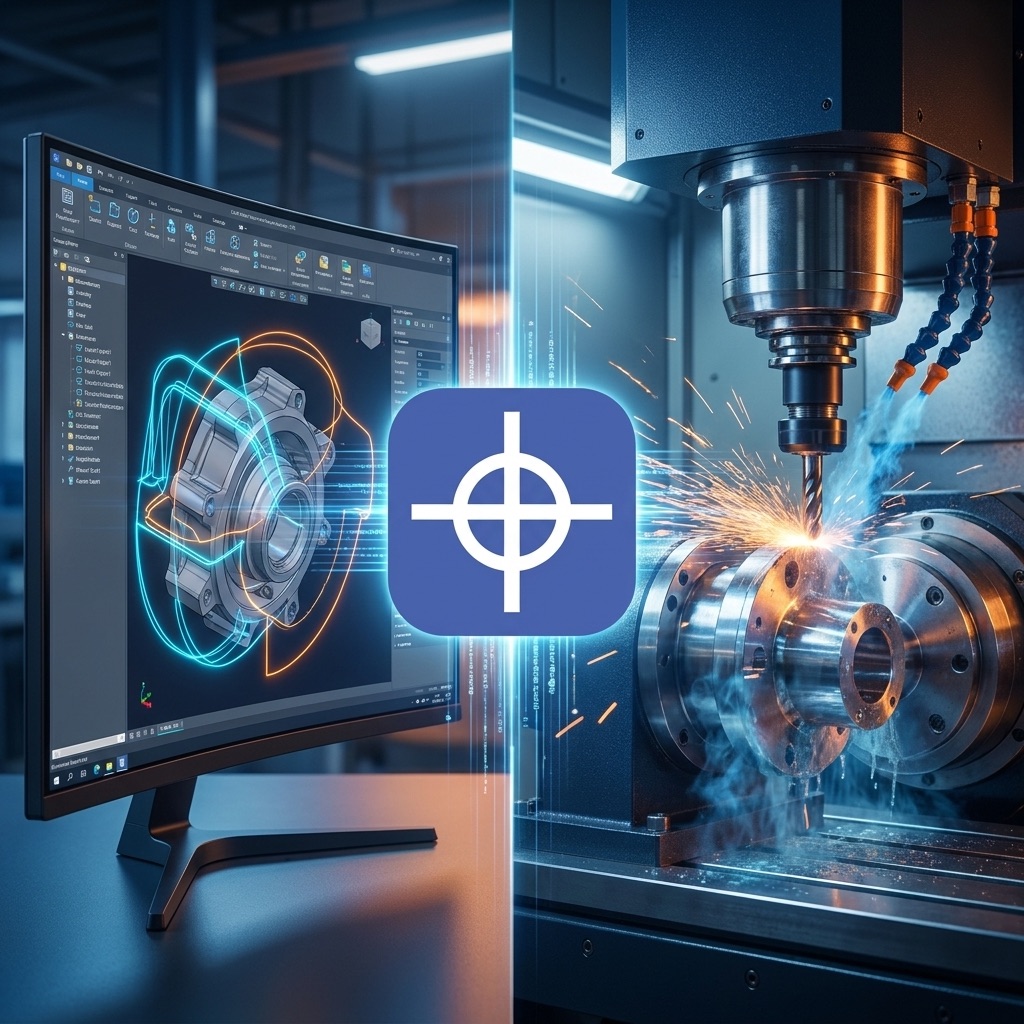
What is a Post Processor? Post Processor is a software module that converts the toolpath generated in CAM into code that the CNC controller can understand. It acts as a “translator” between design/programming software and the CNC machine. If the wrong post is selected, the program may not run, or it could cause incorrect axis movements, tool collisions, part damage, or machine failure.
Table of Contents
- What is a Post Processor and Its Role in CNC Machines?
- Differences Between CAM, G-code, and Post Processor
- What Does Post Processor Output Look Like?
- Key Functions of Post Processor
- Post Processor Applications in Different CNC Machines
- Why a Custom Post Processor is Better?
- Difference Between Post Processor and CNC Controller
- Important Checks Before Running the Output File
- Conclusion
What is a Post Processor and Its Role in CNC Machines?
CAM software such as Mastercam, PowerMill, Fusion 360, SolidCAM, ArtCAM, VCarve, Aspire calculates toolpaths based on part model, tools, material type, spindle speed, depth of cut, and machining strategy. However, this toolpath cannot be directly used by all controllers. Post Processor converts it into the final NC / G-code file.
Process Chain:
- Part design in CAD
- Toolpath generation in CAM
- Post Processor
- NC / G-code file
- CNC controller
- Axis movement and machining operation execution
Differences Between CAM, G-code, and Post Processor
| Concept | Definition | Function |
|---|---|---|
| CAD | Computer-Aided Design | Part modeling and technical drawing |
| CAM | Computer-Aided Manufacturing | Toolpath generation and machining strategy |
| Post Processor | Translator module in CAM | Converting toolpath to machine-specific code |
| G-code / NC Code | Standard CNC programming language | Final executable program |
| CNC Controller | Hardware control unit | Reading program and controlling motors, spindle, tools, I/O |
Why Do We Need a Post Processor?
Each CNC machine has different hardware and control characteristics:
- CNC controller type
- G and M command structure
- Method of defining zero point
- Axis movement directions
- Measurement units (millimeters or inches)
- Spindle type and on/off commands
- Presence or absence of inverter
- Manual or automatic tool change
- Tool changer type (linear, umbrella, rotary)
- Presence of fourth or fifth axis
- Table type (fixed, rotary, gantry, tilt)
- Presence of vacuum, coolant, mist spray, or compressed air
- Operation type (milling, turning, plasma, laser, waterjet, wood, glass, engraving)
What Does Post Processor Output Look Like?
Post Processor output is a text file with extensions like .nc, .tap, .txt, .cnc, .iso, .ncp.
Sample G-code:
G90 G21
G17
G0 X0 Y0 Z10
M3 S18000
G1 Z-2 F300
G1 X100 Y0 F1200
G1 X100 Y50
G1 X0 Y50
G1 X0 Y0
G0 Z10
M5
M30
Command Meanings:
G90= Movement based on absolute coordinatesG21= Millimeter unitG0= Rapid movement without cuttingG1= Linear movement at specified speedX Y Z= Axis coordinatesF= Tool feed rateS= Spindle RPMM3= Spindle on clockwiseM5= Spindle offM30= End of program and reset
Key Functions of Post Processor
1. Converting Toolpath to Axis Movement
Post Processor can output arc commands G2/G3, linear movements G1, or controller-specific commands.
2. Defining Zero Point and Part Coordinates
Examples:
- Lower-left corner
- Part center
- Hole center
- Material top surface
- Material bottom surface
- Point on fixture
3. Managing Spindle On/Off
Controls spindle RPM, rotation direction, spin-up delay, and inverter control.
Example: M3 S12000 and G4 P2
4. Tool Management and Tool Change
For machines with ATC, commands like T3 M6 are used.
Real steps:
- Z moves to safe height
- Move to tool changer
- Release previous tool
- Grab new tool
- Check tool sensor
- Measure tool length
- Return to machining position
5. Controlling Machine Peripherals
- Coolant pump
- Mist spray
- Compressed air
- Vacuum
- Pneumatic clamps
- Holding jacks
- Tool measurement and zero-setting systems
- Laser marker
- Plasma torch
- THC (Torch Height Control)
- Glass cutting head
- Wood engraving/cutting head
For Plasma:
- Move to start point
- Lower torch
- Touch plate
- Set initial height
- Arc on
- Wait for arc formation
- Start cutting
- THC control
- Torch off at end
Post Processor Applications in Different CNC Machines
CNC Mill
- Face milling, drilling, tapping, slotting, profile milling
- 3D machining, engraving, mold part machining
- Cutting aluminum, steel, brass, plastic, and wood
CNC Lathe
- Facing, diameter turning, threading, grooving
- Axial drilling, part cutoff
- Three-jaw or collet control
Wood & MDF CNC
- MDF cutting, grooving, hinge drilling
- Cabinet making, wood engraving
- Cabinet door production, decorative parts
- PVC, plexiglass, and composite cutting
- Emphasis on vacuum importance
Plasma CNC
- Torch on/off control
- Piercing delay
- Cut height start
- THC control
- Arc activation
- Arc OK input
- THC off in corners/small holes
- Safe height management
Laser CNC
- Laser on/off
- Laser power adjustment
- Movement speed
- Pause for piercing, cutting, or engraving
- Power adjustment in corners
- Inner/outer path management
5-Axis CNC
Due to rotary axes A/B/C in addition to X/Y/Z, Post Processor role is critical:
- Kinematic management
- Axis angle limitations
- Preventing tool and head collisions
- Converting tool angle to actual coordinates
- Axis control
- Table or head positioning
- Preventing end-of-travel limits
Using a generic post on 5-axis machines is dangerous. Machine-specific posts must be used.
Why a Custom Post Processor is Better?
Generic CAM posts are not ideal for all machines. A custom post is configured based on actual machine specifications:
- CNC controller model
- Number and type of axes
- Axis directions
- Travel range
- Tool changer system
- Spindle type
- Inverter type
- Tool change method
- Tool sensor presence
- Input/output types
- Custom M codes
- Plasma, laser, or coolant systems
- Home and Machine Zero definition
- Mechanical limitations
Advantages of Custom Post:
- Reduced program execution errors
- Reduced operator time
- No manual code editing needed
- Increased machine safety
- Reduced tool collision probability
- More accurate CAM path execution
- Improved final part quality
- Better use of machine capabilities
Difference Between Post Processor and CNC Controller
| Aspect | Post Processor | CNC Controller |
|---|---|---|
| Location | CAM software | Installed on machine |
| Function | Converts toolpath to G-code | Executes G-code |
| Activation time | Before file transfer | During program execution |
| Dependency | Machine and controller type | Motor, I/O, and safety control |
Signs of Inappropriate Post Processor:
- Machine moving in wrong direction
- Z going down instead of up
- Spindle not turning on
- Wrong spindle RPM
- Vacuum/coolant/air not activating
- Tool not moving at safe height
- Wrong zero point
- Tool change errors
- Broken or incorrect circular path execution
- Abnormal feed rate
- Machine going to wrong position at end
- Improper THC activation in plasma
- Controller displaying code errors
Important Checks Before Running the Output File
10 Pre-Run Actions:
- Check controller model and post processor
- Verify file unit (millimeters or inches)
- Define part zero and machine zero
- Check safe Z height
- Verify spindle speed and feed rate
- Match tool numbers with actual tools
- Review program in CAM simulation
- Initial test with low speed or Dry Run
- Tool-less or dry run for critical parts
- Keep backup of post processor and machine settings
Conclusion
Post Processor is a key component of the CNC process that converts CAM toolpaths into executable programs for the controller. Without a proper post, execution errors, part quality loss, or machine damage can occur.
- In 3-axis machines, Post Processor converts toolpaths to motion codes and spindle commands.
- In advanced machines like 5-axis, plasma, laser, ATC, and multi-head machines, Post Processor also manages a significant part of the machine’s operational logic.
- Proper selection and configuration of Post Processor must align with controller type, mechanical structure, peripherals, and manufacturing process.
“Post Processor generates the program; the controller executes it.”