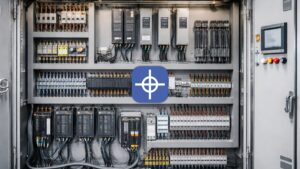
PLC in a CNC Machine: Role, Integration & When You Need Both
A CNC controller is brilliant at one thing: moving axes with precise, coordinated, real-time motion. But a machine is far more than motion — it has a spindle to start, coolant to switch, a tool changer to sequence, guards to monitor, and an E-stop chain that must be obeyed instantly. Those jobs are logic, not interpolation, and in a PLC CNC machine they are handled by a programmable logic controller working alongside the motion controller. Understanding that division of labour is the key to designing, wiring, and troubleshooting a machine that actually runs.
This article is not a controller-versus-PLC comparison — Radonix already covers that ground in its CNC controller vs PLC guide. Instead, it explains how a PLC functions inside a CNC machine: what it does, how the CNC controller triggers it through M-codes, how it expands your I/O, how it enforces safety, and when a separate PLC is worth having at all.
The short version: the CNC controller commands motion; the PLC handles the auxiliary logic and machine states around that motion. Here is how the two work together.
The Role of the PLC Inside a CNC Machine
Every CNC machine has two distinct control domains, and keeping them separate is what makes the machine both fast and reliable.
Motion tasks belong to the CNC controller. Reading G-code, path planning, interpolation, axis synchronisation, look-ahead — these are hard real-time jobs that demand deterministic, microsecond-level execution.
Auxiliary and logic tasks belong to PLC-style logic. Starting and stopping the spindle, switching coolant, sequencing a tool change, monitoring door interlocks, driving lube pumps, reading operator buttons, and holding the machine in a safe state are all discrete on/off decisions governed by conditions. They do not need interpolation; they need dependable relay logic — increasingly implemented in ladder logic rather than physical relays.
The reason for the split is performance and safety. If you burden the motion planner with every I/O decision, you introduce timing uncertainty into the one function that must never stutter. And if you scatter machine-state logic informally, you make interlocks and diagnostics fragile. A clean boundary — motion in the controller, discrete logic in the PLC layer — keeps the axis moving smoothly while the auxiliary systems respond predictably. That is the core architecture of any well-built PLC CNC machine.
M-Code Handling — How the Controller Triggers PLC Actions
The bridge between the two domains is the M-code. Where G-codes command geometry and motion, M-codes (“miscellaneous” or “machine” codes) command auxiliary functions — and the PLC is what carries them out.
The handoff works like this. As the controller executes a program, it reaches an M-code — say, the command to start the spindle. Rather than moving an axis, the controller raises the corresponding internal signal. The PLC logic sees that signal, checks its conditions (is the guard closed? is the spindle drive ready?), and energises the correct output to the contactor or drive. When the action is confirmed, control passes back and the program continues.
Typical M-code-driven actions in a CNC machine include starting and stopping the spindle and setting its direction, switching coolant on and off, initiating a tool-change sequence, and controlling auxiliary devices like dust extraction or a vacuum table. Each is a small piece of relay logic: an M-code sets a condition, the PLC evaluates it against interlocks and feedback, and an output is switched. This is why the PLC layer is sometimes described as the machine’s “hands” — the controller decides what should happen, and the PLC makes it happen safely against real-world conditions.
I/O Expansion — Beyond the Controller’s Onboard I/O
Every controller ships with a fixed number of onboard digital inputs and outputs. For a simple 3-axis router that may be plenty. For a machine with an automatic tool changer, multiple heads, a rotary axis, and a bank of sensors, the onboard count runs out fast — and that is where PLC-style I/O expansion earns its place.
Adding I/O gives the machine more inputs to read (limit switches, tool-length probes, pressure and flow sensors, position confirmations, operator-panel buttons) and more outputs to drive (contactors, solenoid valves, indicator lamps, clamps, pneumatic actuators). Expansion modules — often connected over a fieldbus such as EtherCAT — let you scale the I/O count without redesigning the core control, and distribute it physically around a large machine so field wiring stays short.
The practical benefit is headroom. A machine specified with expandable I/O can grow — add an ATC, a second head, a probing routine — without hitting a hard wall at the controller’s built-in terminal count. Whether that expansion lives in an integrated PLC inside the controller or an external PLC module is an architecture choice covered below, but the need for expandable discrete I/O is nearly universal on anything beyond the simplest machine.
PLC Tasks in a CNC Machine at a Glance
| PLC task | Example in a CNC machine | Typical I/O |
| Spindle control | Start/stop and direction on an M03/M04/M05 command | Output to spindle contactor/drive; input for drive-ready and speed-reached |
| Coolant control | Flood or mist coolant on/off via M-code | Output to coolant pump/valve; optional flow/level input |
| Tool change sequencing | Index carousel, unclamp/clamp, confirm tool | Outputs to actuators; inputs for tool-in-position and clamp status |
| Safety interlocks | Hold machine if guard opens or E-stop pressed | Inputs from guard switches and E-stop; output to safe-state / enable |
| Lubrication | Timed or cycle-based way lubrication | Output to lube pump; input for level/pressure confirmation |
| Operator panel | Cycle start, feed hold, custom function buttons | Digital inputs from buttons; outputs to indicator lamps |
| Auxiliary devices | Dust extraction, vacuum table, clamps | Outputs to contactors/valves; inputs for confirmation |
Safety Circuits and Interlocks — the PLC’s Role and Its Limits
Safety is where the logic layer matters most, and where an important distinction has to be drawn. The PLC coordinates safety-related machine behaviour: it reads guard-door switches, watches the E-stop state, and holds the machine in a safe condition until conditions permit motion. When a door opens mid-cycle, it is this logic that halts the sequence and prevents a restart until the guard is closed and the fault acknowledged.
But standard discrete logic is not the same as a certified safety function. On machines with meaningful hazards, the hard-wired E-stop chain and safety-rated interlocks are typically implemented with dedicated safety relays or a safety-rated PLC that meets the relevant functional-safety requirements, independent of the standard control logic. The general-purpose PLC handles the operational interlocks and sequencing; the safety-rated devices provide the guaranteed, fault-tolerant stop. Treat the E-stop circuit as a safety function to be designed to the applicable standards, not as ordinary ladder logic.
In practice a well-designed machine layers these: safety-rated hardware ensures the machine can always be brought to a safe stop, while the PLC logic manages the everyday interlocks — don’t start the spindle with the door open, don’t index the tool changer mid-cut, don’t run the pump dry. Both belong in a properly engineered PLC CNC machine, and they are not interchangeable.
Integrated PLC vs. External PLC — Trade-offs
Once you accept that a CNC machine needs discrete logic, the real decision is where that logic lives: built into the CNC controller, or in a separate PLC alongside it.
An integrated PLC — logic that runs inside the controller and shares its I/O and configuration — is simpler and cheaper. There is one device to specify, wire, and maintain; the M-code-to-output path is short and pre-integrated; and there is no separate PLC program to license or keep in sync. For the majority of machines — routers, plasma tables, engravers, mills with modest auxiliary needs — an integrated PLC handles everything from a coolant pump to an automatic tool changer without the cost and complexity of a standalone module.
An external PLC — a separate industrial controller wired to the CNC — buys flexibility and scale. It makes sense when the machine is part of a larger automation cell (loaders, conveyors, robots, upstream and downstream processes), when the I/O count or logic complexity exceeds what the controller comfortably handles, when a customer standardises on a specific PLC platform for factory-wide maintenance, or when safety architecture calls for a dedicated safety PLC. The cost is another device, another program, and the integration work to coordinate the two.
The honest rule of thumb: integrated PLC for the machine itself, external PLC when the machine has to cooperate with a wider system or carry unusually heavy logic. Many production cells use both — an integrated PLC managing the machine’s own auxiliaries and an external PLC orchestrating the cell around it.
When You Actually Need Both a PLC and a CNC Controller
Strictly speaking, almost every CNC machine already uses both — the question is whether the PLC is integrated or separate. Use this as a decision guide for when a distinct PLC is worth adding:
- Standalone machine, modest auxiliaries (3-axis router, engraver, small mill): the controller’s integrated PLC is enough. A separate PLC adds cost without benefit.
- Machine with an ATC, multiple heads, or a rotary axis: still usually fine on an integrated PLC with expandable I/O — confirm the I/O headroom, not the device count.
- Machine inside an automation cell (robot loading, conveyors, part handling, line coordination): a separate PLC to orchestrate the cell, with the CNC controller focused on machining, is the clean architecture.
- Heavy or safety-critical logic (complex sequencing, high I/O count, safety functions requiring a rated platform): a dedicated PLC — and, for safety, a safety-rated one — alongside the controller.
- Customer or plant standardisation (the end user maintains everything on one PLC brand): an external PLC on the specified platform, regardless of raw need.
The test is not “motion vs logic” — you always need both kinds of control. It is “does the discrete logic exceed what the controller’s integrated PLC can cleanly handle, or does it have to reach beyond the machine?” If yes, add a PLC; if no, the integrated logic is the simpler, cheaper, more reliable choice.
How Radonix Controllers Handle PLC-Style Logic
Radonix takes the integrated approach for the machine itself. Its controllers include built-in PLC functionality programmable with standard ladder logic, so machine I/O — from a simple coolant pump to a complex automatic tool changer — is managed directly by the controller without the expense and complexity of a separate PLC module for the machine’s own auxiliaries.
That means the M-code-to-action path is handled in-platform: an M-code in the program drives the integrated logic, which checks interlocks and switches the mapped output. Radonix controllers provide industrial digital I/O with expansion so the input and output count scales as machines grow, and they maintain a clear separation between the deterministic motion layer and the higher-level logic — motion stays real-time and predictable while the PLC-style logic manages machine states and sequencing. For machines that must cooperate with a wider automation cell, Radonix systems are designed to integrate with external PLCs and automation over standard industrial communication, so the controller can own the machining while an external PLC coordinates the line.
The result is that a typical Radonix-controlled machine gets full PLC-style logic — spindle, coolant, tool change, interlocks, operator I/O — from the controller itself, with the option to add an external PLC only when the application genuinely calls for it.
FAQ
Does every CNC machine have a PLC?
In effect, yes — every CNC machine needs discrete logic to run its spindle, coolant, interlocks, and auxiliaries. The difference is whether that logic is an integrated PLC inside the CNC controller or a separate external PLC module. Most single machines use integrated logic; larger automation cells often add an external PLC.
What’s the difference between what the CNC controller does and what the PLC does?
The controller handles motion — reading G-code, interpolation, and coordinated axis movement in hard real time. The PLC handles logic — the on/off, conditional, sequencing decisions around that motion (spindle, coolant, tool change, interlocks). Motion is continuous and precise; PLC logic is discrete and condition-driven.
How does an M-code make something happen on the machine?
When the controller executes an M-code, it raises an internal signal rather than moving an axis. The PLC logic reads that signal, checks its interlock and feedback conditions, and switches the appropriate output — for example, energising the spindle contactor on a spindle-start command — then returns control to the program.
Can I run safety interlocks through the PLC?
Operational interlocks (don’t start with the guard open, don’t index mid-cut) are appropriately handled by PLC logic. But the E-stop chain and safety-rated interlocks should be built with dedicated safety relays or a safety-rated PLC that meets the applicable functional-safety standards — not ordinary ladder logic — so the machine can always reach a safe stop even if the standard control fails.
When should I add an external PLC instead of using the controller’s built-in logic?
Add an external PLC when the machine must coordinate with a wider automation cell (robots, conveyors, line control), when I/O count or logic complexity outgrows the integrated PLC, when safety demands a rated platform, or when the plant standardises on a specific PLC brand. For a standalone machine’s own auxiliaries, the integrated PLC is usually the better choice.
Build the Machine Around the Right Control Split
A CNC machine runs well when motion and logic each sit where they belong: precise, deterministic motion in the CNC controller, and dependable discrete logic — M-code actions, I/O, interlocks — in the PLC layer. For most machines an integrated PLC handles that logic cleanly; an external PLC earns its place when the machine joins a larger automated system or carries safety-critical, high-volume logic.
Radonix controllers deliver integrated, ladder-programmable PLC logic and expandable industrial I/O for the machine itself, with the flexibility to integrate external PLCs when the application demands it. Explore Radonix CNC controllers to match the control architecture to your machine — or contact the Radonix team to work through the right PLC and I/O setup for your build.