
Understanding G-Code in CNC Machining
Author: Mehdi Hasanzade
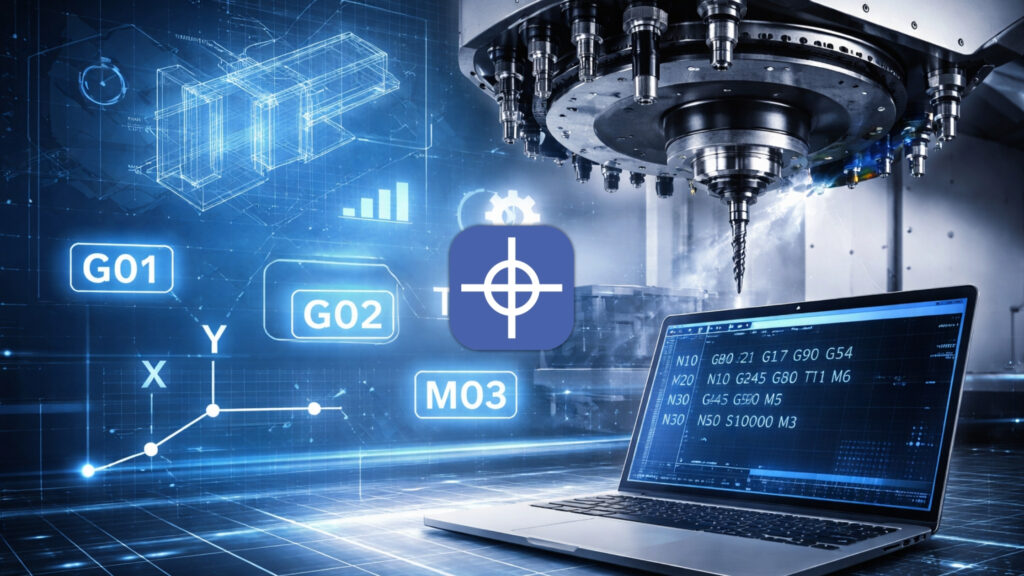
In CNC machining, G-code (Geometric Code) is the core programming language used to control machine tool behavior.
It instructs the controller where to move (X/Y/Z and rotational axes), how to move (linear or circular interpolation), at what speed (feed rate and spindle speed), and which auxiliary actions to execute (tool change, coolant, spindle direction).
Written in an address-based format, such as G1 X50 F300 or M3 S12000, G-Code forms the direct interface between human intent and machine execution.
Unlike CAM-generated toolpaths that abstract complexity, G-Code exposes the actual logic interpreted by the CNC controller. For this reason, understanding G-Code remains essential for troubleshooting, optimization, safety, and industrial reliability.
1. What G-Code Does at the Controller Level
A CNC controller does not simply “read and move.” Each G-Code line is processed through an interpreter, translated into motion planning commands, and then executed by servo systems. The same G-Code program may behave differently across controllers due to differences in interpolation algorithms, acceleration limits, and modal handling.
A single block can include multiple words:
- G – motion and geometry commands (G0, G1, G2, G3)
- M – miscellaneous machine commands (spindle, coolant, tool change)
- X Y Z A B C – axis positions
- F – feed rate
- S – spindle speed
- T – tool number
- I J K / R – arc center or radius parameters
- N – optional line number
- Comments – human-readable explanations
Many G-Codes are modal, meaning they remain active until explicitly changed. This behavior is powerful but also a common source of programming errors.
2. A Brief but Accurate History of G-Code
The origins of G-Code trace back to early numerical control (NC) development:
- 1949–1950: Early NC concepts developed by Parsons in collaboration with MIT
- 1952: First operational NC machines demonstrated at MIT
- 1960s: Standardization efforts under EIA RS‑274
- 1979: RS‑274‑D finalized as a widely adopted reference
- ISO 6983: International standard defining address-based CNC programming
Despite these standards, manufacturers implement extensions and variations. As a result, controller-specific behavior must always be verified.
3. Standard Structure of a G-Code Program
A robust CNC program follows a predictable structure:
- Safety Line / Initialization – Units, plane selection, distance mode, cancellation of offsets and cycles
- Work Offset Selection – G54–G59 (and extended offsets)
- Tool Call and Change – T command with M6
- Spindle and Coolant Control – S, M3/M4, M8
- Machining Motions – Rapid positioning followed by feed moves
- Program End – Shutdown commands and reset (M30)
Initialization is not optional in industrial environments. Missing or incomplete safety lines are a frequent cause of crashes, especially when programs are restarted mid-cycle.
4. Common G-Codes Used in CNC Machining
4.1 Motion Commands
- G0 – Rapid positioning (non-cutting motion)
- G1 – Linear interpolation with feed rate
- G2 / G3 – Circular interpolation (clockwise / counterclockwise)
- G4 – Dwell (pause)
Rapid moves should never be assumed safe; tool length, fixture height, and modal states must be considered.
4.2 Units and Distance Modes
- G20 / G21 – Inch / millimeter
- G90 / G91 – Absolute / incremental positioning
Incorrect distance mode selection is one of the most destructive G-Code mistakes.
4.3 Plane Selection
- G17 / G18 / G19 – XY / ZX / YZ plane selection for arcs
4.4 Work Coordinate Systems
- G54–G59 – Primary work offsets
- G53 – Machine coordinate motion (use with caution)
4.5 Tool Compensation and Cycles
- G40 – Cancel cutter compensation
- G41 / G42 – Left / right cutter compensation
- G80 – Cancel canned cycles
- G81 / G82 / G83 – Drilling cycles (controller-dependent parameters)
5. Common M-Codes
- M3 / M4 / M5 – Spindle CW / CCW / stop
- M7 / M8 / M9 – Mist coolant / flood coolant / off
- M6 – Tool change
- M0 / M1 – Program stop (unconditional / optional)
- M2 / M30 – End of program (M30 typically resets program pointer)
M-Code behavior varies significantly between machine builders and must always be verified.
6. Practical G-Code Examples
Example 1: Standard Safety Line (3‑Axis Milling)
G21 G17 G90 G40 G49 G80
G54
This line establishes units, plane, positioning mode, and cancels all active offsets and cycles. Omitting it can leave dangerous modal states active.
Example 2: Milling a 50×50 mm Square at 2 mm Depth
T1 M6
S12000 M3
G0 X0 Y0 Z10
G1 Z-2 F300
G1 X50 F600
G1 Y50
G1 X0
G1 Y0
G0 Z10
M5
M30
Each command builds on the previous modal state. Removing or reordering lines can change the entire motion outcome.
Example 3: Circular Interpolation
G17
G0 X0 Y0
G1 X10 Y0 F500
G2 X10 Y10 I0 J5
Arc commands rely on correct plane selection and center definition. Misinterpreting I/J values is a common source of path errors.
7. Industrial Pitfalls That Cause Errors
- Modal carryover: Forgetting that G90/G91 remains active
- Incorrect work offset: Machining relative to the wrong zero point
- Controller differences: Same code, different behavior across brands
- Safety neglect: Skipping dry runs or single-block execution
In production environments, first-run verification with reduced feed and spindle speeds is a standard safety practice.
8. Why Small G-Code Mistakes Cause Major Failures
G-Code is unforgiving. A single incorrect modal command, missing offset, or arc parameter can result in tool crashes, fixture damage, or spindle failure. Most CNC accidents are not caused by complex logic—but by small, overlooked details.
Understanding how commands persist, interact, and execute at controller level is what separates safe industrial programming from trial-and-error operation.
Conclusion
G-Code remains the universal foundation of CNC machining. While CAM systems automate toolpath generation, long-term reliability, safety, and optimization still depend on a deep understanding of how G-Code works. Mastery of its structure, behavior, and limitations is essential for any serious CNC professional.
Contact Radonix or use the chatbot in the bottom right corner to learn how linear encoders integrate with Radonix control systems.